

On November 12, a Microsoft outage cut most users off from Outlook and email for most of a business day and into the next. Service is now back. This post covers what happened, what Microsoft has said, and the steps that can help lessen the impact on your firm the next time any key provider goes down.
What happened
Microsoft's official impact window ran from 11:20 AM ET Thursday, November 12, to 11:10 AM ET Friday, November 13.
Our team observed issues from midday Thursday (ET). Mail flow did not fully settle until near the end of the day Friday (ET), about 36 hours in total.
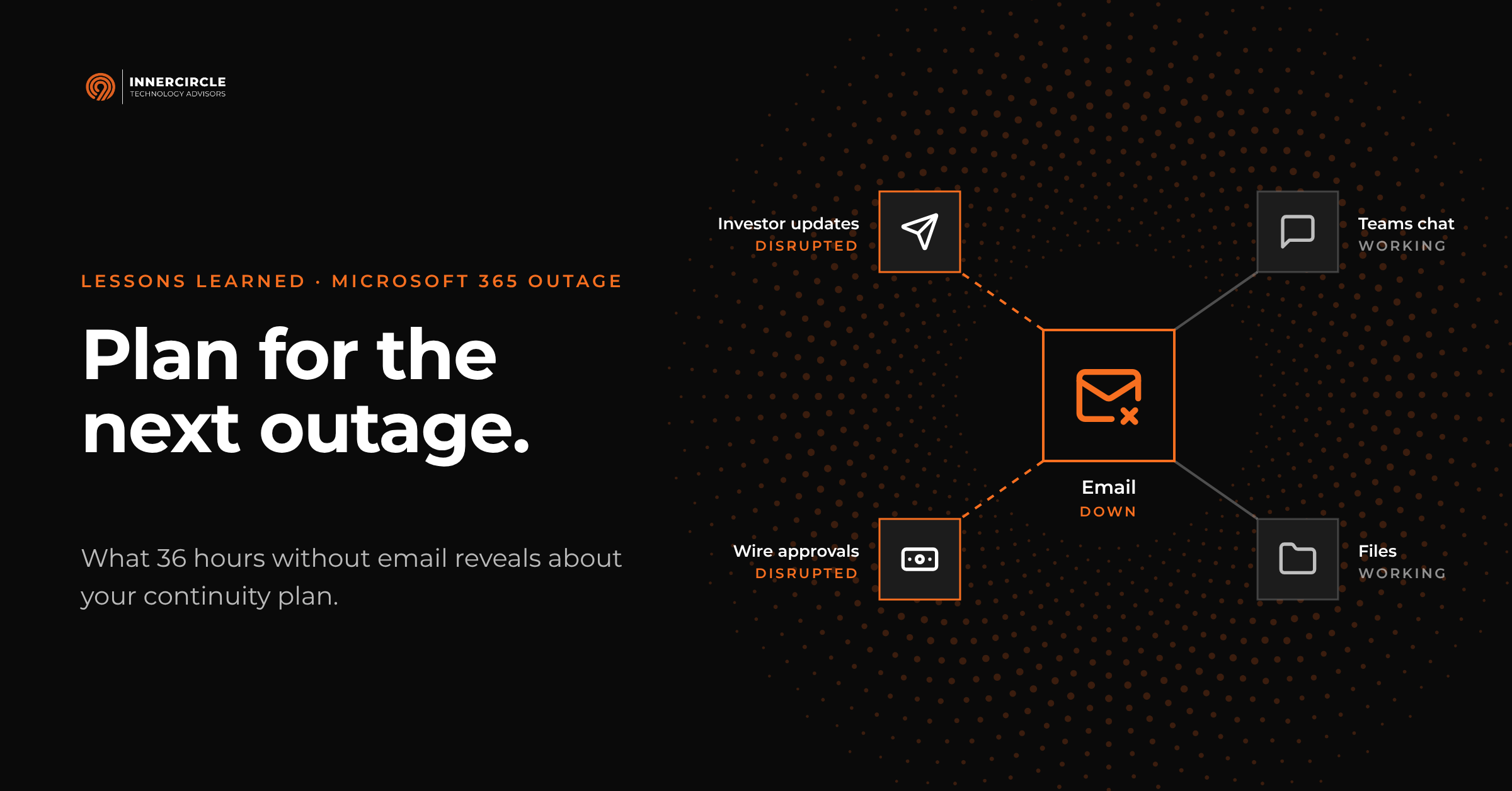
Exchange Online took the hardest hit. Most users could not open their mailboxes in Outlook, Outlook on the web, or on their phones, and email delivery was delayed.
Features that rely on Exchange Online also failed, including Teams calendars and meeting scheduling, Copilot, parts of Microsoft Planner and To Do, and some Purview compliance and Defender security tools.
Microsoft Teams chat, Teams meetings, and files stored in SharePoint and OneDrive largely kept working.
What Microsoft has said
Microsoft published a preliminary post-incident report on November 15 under incident IDs EX1550543 and MO1550821. It names three factors that combined to cause the failure.
A software defect. A change deployed in July to the servers that route connections into Microsoft 365 contained a hidden flaw. Under certain load, those servers ran out of processing capacity and stopped responding. The change ran worldwide for more than three months without a problem, and Microsoft's lab testing did not catch it.
A rise in load. About 15 hours before the outage, Teams traffic moved onto the same gateway that serves Exchange Online. Microsoft describes this move as part of normal operations.
Reduced capacity. About 14% of gateway servers were already out of service from an unrelated issue the day before.
Why did a July change fail in November? Microsoft's report gives these reasons:
Microsoft's lab load tests ran on servers with fewer processor cores. The flaw gets worse on newer machines with more cores, so testing missed it.
The flaw needed heavy load. That came when Teams traffic moved onto the Exchange gateway the night before.
It also needed reduced headroom. That came from the 14% of servers already offline.
The failure began during peak US business hours.
Microsoft says none of these alone caused a problem, and the defect stayed hidden until they lined up. Other large outages follow the same pattern. Amazon's October 2025 outage traced back to a "latent race condition," a timing flaw in its DNS automation that existed well before it was triggered.
It's important to note that all these details come from Microsoft's own reporting. We have no way to verify Microsoft's internal deployment records, so we are passing on Microsoft's account, not confirming it. The final report, due November 20, should add more detail.
Together, the flaw and resource strain pushed servers past their limits during peak US business hours. As each server failed, its traffic shifted to the next one, which then failed too. At the low point, more than 80% of the servers were unresponsive. Recovery took longer than usual because restored servers were overwhelmed by waiting traffic and failed again.
Microsoft restored service by reverting the defective code and bringing servers back in groups. It extended the email delivery window so queued messages were delivered rather than returned, added capacity and monitoring, and put limits on how traffic shifts between servers.
How we kept clients informed
Our own email was affected too, so we used every other channel we have. We posted updates through the day, evening, and early morning on our website, LinkedIn, and X, and we called each client's primary contact directly. Each of these steps followed our own incident response plan, which sets out how and how often we update clients when our normal channels are down.
Does everyone at your firm know how to reach us when email is down? We want to make sure they do, so please share this with others on your team. When email is down, reach us at innercircleit.com/help and follow updates on our website and social channels.
Why the cloud is still the right choice
After an outage like this, some firms may question whether they should bring cloud based systems back to their local offices. The answer is almost always no.
Oversight. Microsoft runs Office 365 with engineering teams around the clock. We ran on-premises mail servers for clients for many years, and we know their limits firsthand. A single hardware failure or bad update could take a firm's email offline until we sourced parts or restored from backup.
Patching. Keeping a server online and secure takes steady work. In a small business, every patch to a production server means scheduling a maintenance window, taking systems offline, and confirming everything comes back up properly. New exploits now appear faster, as attackers use tools like AI to find and use weaknesses, and that pace makes a manual patch schedule hard to keep. Microsoft patches its cloud service across its own servers, without asking you to schedule downtime.
Physical risk. An office server can be exposed to power loss, internet disruption, water leaks, building access problems, and theft. Cloud data centers carry redundant power, cooling, and physical security.
Redundancy. Microsoft stores your data in several locations. A single office server is a single point of failure.
Recovery time. Microsoft restored service in about a day, at global scale. Rebuilding a failed local server from backup can take days and needs replacement hardware on hand. It also needs dedicated time from IT professionals, who may not be available in a disaster, when many firms need help at once.
Of course, no provider is immune to failure. Here are five major outages from the last 18 months.
Nov 12 to 13, 2026 · Microsoft 365. Software defect in connection gateway servers. Most users lost email for about a day.
Nov 18, 2025 · Cloudflare. Configuration file crashed its network platform. Many websites and apps behind Cloudflare returned errors for about 6 hours.
Oct 29, 2025 · Microsoft Azure Front Door. Accidental configuration change. Microsoft 365 services and portals, the Azure portal, and sites behind Front Door disrupted for about 8 hours.
Oct 19 to 20, 2025 · Amazon Web Services. DNS automation flaw in the US East region. Over 100 AWS services and the apps built on them disrupted for about 15 hours.
Jun 12, 2025 · Google Cloud. Invalid policy change spread worldwide. Gmail, Drive, Calendar, Meet, and over 100 cloud products disrupted for several hours.
The lesson is not to find a provider that never fails. It is to plan for how your firm keeps working when one does.
Business continuity planning that works
No business can prepare for every possible failure, but your organization can plan for the most likely ones. On a bad day, a clear call tree and a few ready-to-send templates will help your team more than a new software tool.
The examples below are not technical. Your organization's executive and operations teams can own them.
A call tree that does not depend on email or Teams. Maintain a list with each person's mobile number and a personal email. Use these to reach your people, not to conduct client business. Decide who calls whom, and who makes the first call. Keep a printed copy in a secure place, and a digital copy in an access-controlled location outside Microsoft 365, such as a shared vault in your firm's password manager. Avoid saving the list as loose files or contacts on individual phones, where it is hard to protect and quickly goes out of date.
A plan for how each function keeps working. Write one page per function, in plain language. For example:
Trading: how do you confirm orders with brokers and counterparties if email is down?
Investor relations: who calls LPs about time-sensitive matters, and from which list?
Finance: how do you approve and release a wire if the normal email approval is unavailable?
Operations: which deadlines today cannot move, and who checks on them?
A map of key risks and workarounds. For each critical process, note what it depends on and what the workaround is. Be honest where no workaround exists. That tells you where to focus.
A list of where your critical data and systems live. Note which systems run on the same provider. During this outage, firms that used Teams chat as a fallback kept talking because Teams chat stayed up. Firms that relied on email for everything had fewer options.
Ready-made messages with a set update schedule. Draft short templates now for employees, clients, investors, and counterparties. Decide in advance how often you will send updates, for example every two hours, and through which channel.
Keep it current, shared, and outside your standard platforms. Review these documents at least once a year and after staff changes. Store a copy somewhere that does not depend on Microsoft 365, using the same approach as your call tree: a printed copy kept in a secure place and a digital copy in a shared vault in your firm's password manager, so you can open it during an outage.
Train your team and practice. A 30-minute tabletop exercise, where you walk through a scenario around a table, shows gaps faster than any review. Your team should know what to expect before it happens.
Keep compliance in the plan. When email is down, people reach for personal email, text messages, and messaging apps to keep work moving. For a regulated firm, that shifts business onto systems you do not archive, monitor, or secure. Client and investor messages sent that way may fall outside your recordkeeping obligations, and sensitive data can end up in accounts you do not control. Regulators take this seriously. The SEC and CFTC have fined financial firms more than $2.6 billion over business communications kept on unapproved channels.
This outage also reached the tools that supervise those communications. Microsoft's incident notice lists Purview Communication Compliance, Data Loss Prevention, audit searches, and eDiscovery searches and exports among the affected features. Your compliance team may have lost the ability to review messages or pull records at the same moment staff were finding workarounds. Your plan should answer four questions:
Which backup channels are approved for business communications during an outage?
How will those messages be captured and retained?
Could your compliance team still reach the records it needs if Microsoft 365 were down?
When should your compliance officer be brought in?
If no approved channel is available, it is often safer to delay a non-urgent message than to send it through an unmonitored one. Build this scenario into the tabletop exercises described above. Walking through it with your team will show gaps that a written policy will not.
For regulated firms, these documents also answer questions from auditors, LPs and due diligence reviewers about how you operate during a disruption.
Where backup systems help and where they don't
After a system outage, a common question is whether a backup product or a solution like a standby email service would have kept your firm running. It is a fair question, and the answer depends on what the tool is built to do. Backup and continuity solve different problems.
Backup recovers data that was lost, deleted, or corrupted.
Continuity keeps your team working while a service is down.
No data was lost in this outage. Backup was not the issue. Access was.
For an email outage, mail continuity products promise a standby mailbox during an outage. In an event like this one, they offer limited practical benefit.
Users usually reach the standby mailbox through a separate website or app, not through Outlook, so many never use it and those that do will need to navigate a completely different interface.
Your counterparties may be affected by the same outage, so they cannot receive or reply either.
Files, calendars, and sign-in to other Microsoft 365 services may still be down.
Microsoft extended its delivery window, so mail sent to you during the outage was delivered afterward rather than lost.
Backup does pay off in other scenarios: recovery after ransomware, restoring files or mailboxes someone deleted by mistake, and meeting retention or compliance requirements. Backups remain an important part of your plan. They are designed for recovery, though, not for keeping work moving while a provider is down.
Questions to discuss with your team
Bring these to your next management meeting.
If email and/or Teams went down at 10 AM on a Tuesday, how would your team find out, and what would they do next?
Which three tasks would stop first?
Who decides when to tell counterparties, and what would the first message say?
Does everyone know how to reach InnerCircle without email?
Where is your continuity plan stored, and could you open it during an outage?
When did your team last practice?
How we can help
Through our Active Arc offering, we offer clients resources for streamlining their business continuity plans, including call tree templates and tabletop exercises built around your own workflows. If you'd like to talk about whether that fits your firm, reach out at innercircleit.com/help or contact your InnerCircle team.